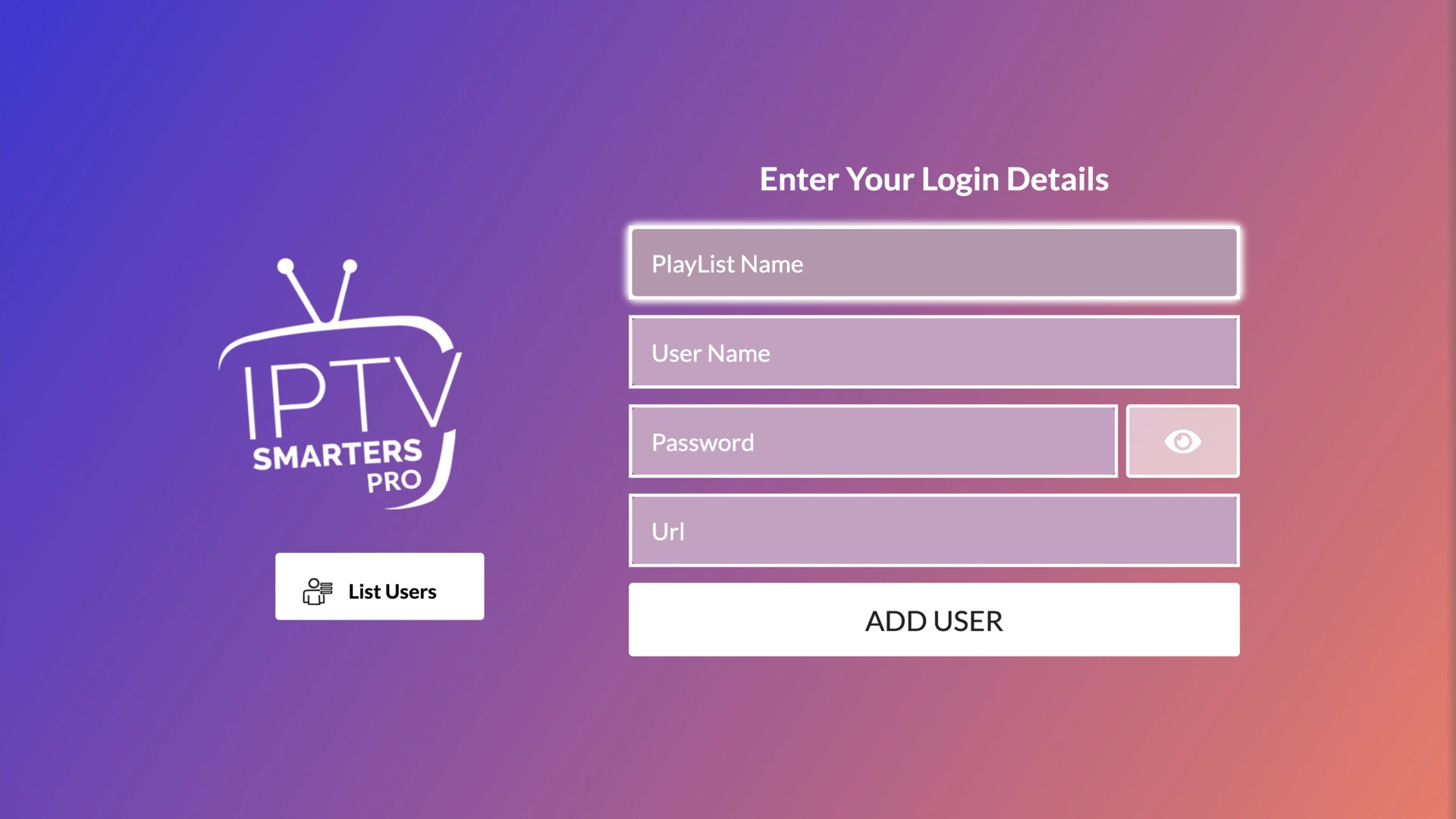
Make sure you install the right app (the free one)
There are lookalike apps that are paid. The right one must have exactly: this name, this icon, developer WHMCS Smarters, and, once opened, the screen below. If anything looks different, it's another app and it's paid.
On LG: IPTV Smarters Pro
On Samsung: IPTV Smarters Pro
This is what it should look like once installed ✅
Smart TV (Android TV, Google TV, or Fire TV)
Works with: Buzz Stream Plus Buzz Stream Basic
We'll install the app with the help of Downloader, a free app that installs other apps on your TV using a code. It's easier than it sounds 👇
Another app that also works on Android TV, Google TV, and Fire TV. It's the same app and the same link as on your phone, and you pick your service when you sign in.
Trouble with the Smarters app? Install our older apps
The Smarters app above is the new version that replaces these two. We don't recommend them and you should only use them if the new app fails for you. In Downloader, the Buzz Stream Basic code is 4072839 and the Buzz Stream Plus code is 3146475.
On Roku we install two channels: one (purple) for movies and series, and another (blue) for live TV. Install both to have all the content. For live TV, sports, and Roku we do not recommend Buzz Stream Basic: there Buzz Stream Plus has all the sports, it is the most stable, and its Roku app is the better of the two.
1On your Roku, go to "Streaming Channels".
2Search for "LegendsTV-Max" (the purple icon) and add it. It's the one for movies and shows.
3Search for "Legends" (the blue icon) and add it. It's the one for live TV.
4Open "Legends" (the blue one). It will ask for a code when you log in: type 129090.
5Log in with the username and password we sent you on WhatsApp.
2Your browser may warn you that the file could be harmful. This is normal, it shows up because you're installing an app outside the official app store, and the file comes from our own site. Look for the option to download it anyway and tap it to continue.
3Install the app. If your phone warns you, allow "install apps from unknown sources".
4Open it and on "Choose your service", select the full name: Buzz Stream Plus or Buzz Stream Basic.
5Enter the username and password we sent you on WhatsApp and press "Add Playlist".
6Done! You can now enjoy your content.
Trouble with the Smarters app? Install our older apps
The Smarters app above is the new version that replaces these two. We don't recommend them and you should only use them if the new app fails for you. Download the one for your service: Buzz Stream Plus or Buzz Stream Basic.













 On LG: IPTV Smarters Pro
  On Samsung: IPTV Smarters Pro